Talk to Your AI Voice Tutor — Instant Answers, 24/7
A tutor you can talk to, at the hour homework actually happens. Say where you are stuck, think out loud, interrupt when something does not land — the things that make a conversation useful and a video not. One free hour of tutoring every month, including 10 minutes of voice, no card.
No credit card · Takes 30 seconds · Unsubscribe any time
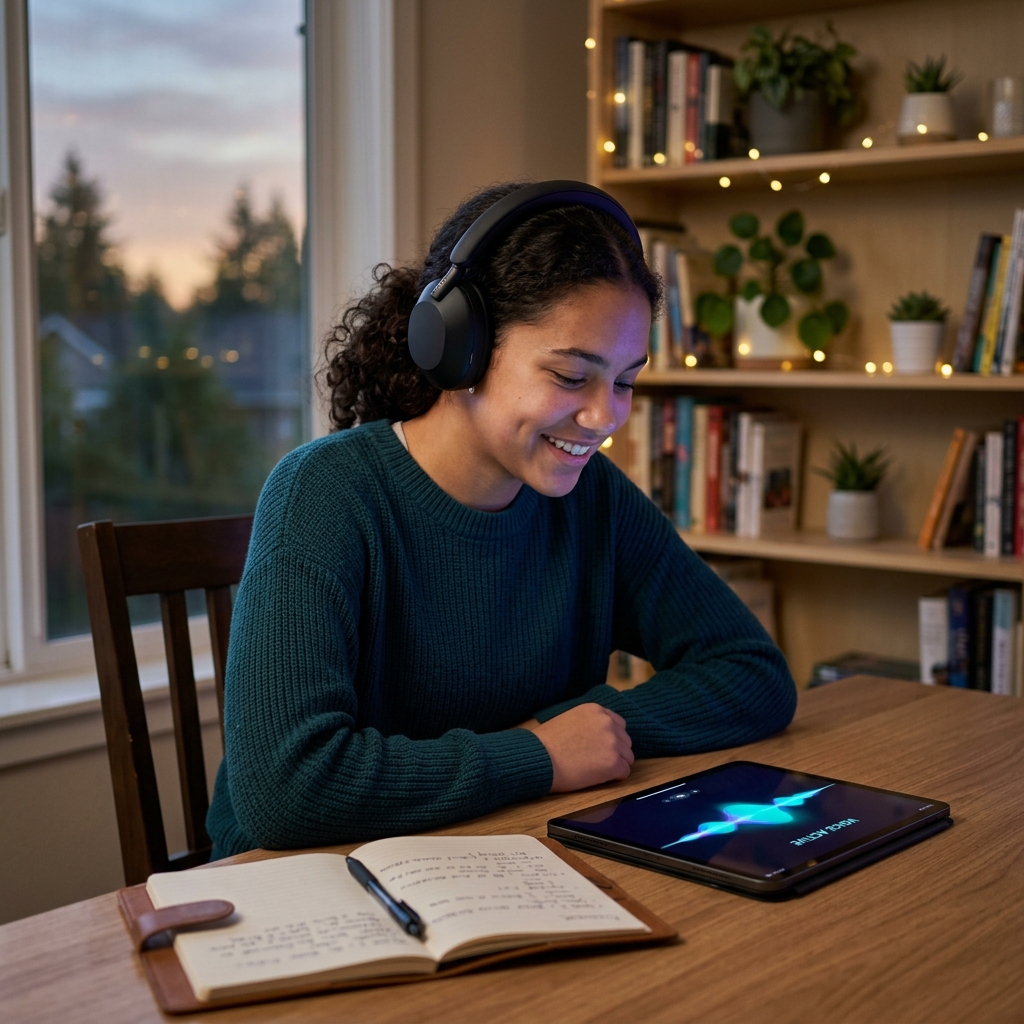
Why Talking Works
A Conversation, Not a Lecture
Ask follow-up questions naturally, think out loud, and get instant vocal feedback from CereBRO Live. Voice tutoring feels like talking to a real tutor — because real learning happens through dialogue.
Available 24/7 Across 58+ Subjects
From calculus homework help to SAT prep to executive coaching — talk to your AI tutor whenever you need it. CereBRO Live voice tutoring covers every subject on UnlockGenius.io, day or night.
It Adjusts to You
CereBRO gets to know how you learn best — in voice mode too. Your AI tutor explains things the way that works for you, so it clicks faster and sticks longer.

How It Works
Three steps, no download and no setup.
Open a Subject
Launch voice tutoring from any lesson or the CereBRO Live button in your dashboard. No downloads or plugins needed.
Start Talking
Ask a question, describe a problem, or say what you need help with. CereBRO listens and understands context — just like a real tutor.
Get Adaptive Responses
CereBRO responds vocally with explanations tailored to you, asks clarifying questions, and guides you step by step.
Who It Suits
Different learners want it for different reasons.
Students who prefer verbal learning
If you learn better by talking through concepts than reading textbooks, voice tutoring is built for you.
Parents helping kids with homework
Sit with your child and let CereBRO Live walk through problems together — homework help at the dinner table.
Professionals learning on the go
Commuting or multitasking? Talk to your AI tutor hands-free for professional development and exam prep.
Neurodivergent learners
Voice tutoring removes barriers for learners with dyslexia, ADHD, or anyone who processes information better auditorily.
The Research Behind It
Research consistently shows that verbal explanation is one of the most powerful learning tools available. Benjamin Bloom’s landmark 1984 study found that one-on-one tutoring — largely conducted through spoken dialogue — moved students from the 50th to the 98th percentile compared to classroom instruction alone (Bloom, 1984). Retrieval practice — saying an answer out loud instead of just reading it — strengthens memory far more than passive review (Roediger & Karpicke, 2006). And explaining your own reasoning aloud, a technique researchers call the “protégé effect,” drives the kind of active, metacognitive thinking that produces deeper understanding than silent reading alone (Fiorella & Mayer, 2013). Voice tutoring puts all three effects to work in a single conversation.
How It Compares
| CereBRO | Human Tutor | Video Lessons | |
|---|---|---|---|
| Availability | 24/7, instant, no scheduling | Scheduled, limited hours | 24/7, but one-way |
| Cost | 1 free hour/month incl. 10 min voice; paid plans a fraction of tutor rates | ~$50–$75/hour | Often free, but no personal help |
| Subject Range | 58+ subjects | Usually 1–2 specialties | Fixed catalog, no custom help |
| Voice Interaction | Full two-way conversation | Full two-way conversation | None — one-way playback |
| Parent Monitoring | Real-time progress dashboard | Manual updates, if any | None |
CereBRO Live voice tutoring is available on Pro and Premium plans.
View all plans and pricingStart With Your Free Hour
Talk to your AI tutor today. Real-time voice conversations for homework help, exam prep, and personalized learning — available 24/7 on UnlockGenius.io.
The short answer
Talking is faster than typing, and for a lot of students it's also the only mode in which they will ask a fourth question. Typing out "I still don't get it" for the third time feels like an admission. Saying it costs nothing.
That's most of what changes here. Not that speech is a better teaching medium in general — for anything with a diagram in it, it plainly isn't — but that it removes the friction from the specific moment where a student decides whether to ask again or quietly give up.
It's metered, not unlimited. Every account gets an hour a month free, and paid plans include a set number of minutes. Typed sessions carry on either way.
When talking beats typing
These are specific situations rather than a general claim, because the general claim isn't true.
When reading is the bottleneck, not the subject
A student who reads slowly is paying a tax on every subject, not just English. Hearing the explanation instead of decoding it means the effort goes into the math rather than into the sentence describing the math. This is the single clearest case for speaking over typing, and it's why the mode exists.
When you need to think out loud
Explaining a problem is how most people discover the exact point where their understanding stops. It's hard to do that in writing, because writing gives you time to tidy the thought up before it's visible. Speaking doesn't, which is uncomfortable and useful for the same reason.
When the question is a follow-up to a follow-up
Typed exchanges get shorter as a student gets more self-conscious. Spoken ones don't, in the same way that a conversation with a patient adult doesn't. The value is in the third and fourth question, which is exactly the range where most students stop.
When your hands are busy
Working through a problem on paper, at a whiteboard, or on an instrument leaves nothing free for a keyboard. Being able to describe where you're stuck without putting the pencil down is a smaller benefit than the others here, and it's a real one.
What a session is actually like
You open a subject and start talking. There's no download, no plugin, and no setup — an optional five-minute assessment exists and is never required before a lesson. Saying "I have a chemistry test Thursday and I keep messing up moles" is enough to begin.
You can interrupt it. That sounds minor and isn't: a tutor you can't interrupt is a lecture, and the ability to say "stop, go back to the bit about units" halfway through a sentence is most of what makes a conversation more useful than a video.
You can also switch to typing mid-session and back again without losing the thread, which matters more than it sounds — the moment a diagram is needed, speech stops being the right tool, and having to restart somewhere else would end the session in practice.
Afterwards a parent can read the whole transcript, including the spoken parts, rather than a summary of it.
Where this is not the answer
Speech has real limits, and a page that only lists benefits is describing a demo rather than a product.
It cannot see anything
It won't read the worksheet in your hand, look at your working, check your handwriting, or see what's on your screen. For a problem where the difficulty is in a diagram or in spotting where the arithmetic went wrong on paper, you're describing something to someone who can't see it, and that's as awkward as it sounds.
Anything visual is better typed
Graphs, geometry, chemical structures, code, and anything where the layout carries meaning are all worse spoken than written. The typed mode renders these properly. Using speech for them because speech is the newer feature is a mistake the product can't stop you making.
It needs somewhere you can talk
A noisy room, a car, a shared space with a television on, or a house where everyone is asleep all make this the wrong mode. Since a great deal of homework happens late at night in shared spaces, this rules it out more often than a feature list would suggest.
Speech recognition is good, not solved
Heavy accents, stutters, and the speech of young children are all harder to transcribe reliably. Timing is adjusted to leave more room before assuming a sentence has finished, which genuinely helps with stutters and slow speech. It doesn't make the problem disappear, and a student who is being misheard repeatedly will have a worse time than one who types.
Some students find it worse, not better
Talking to a machine is uncomfortable for some people, and being recorded is uncomfortable for more. If a student finds the typed version calmer, that preference is the right one to follow rather than something to be talked out of.
Trying it on something real
The free hour each month works in either mode, so trying speech costs nothing beyond the hour you already have.
Spend it on something you'd normally type, so you have a comparison. A problem you're genuinely stuck on works far better than a topic chosen to show the feature off — the whole question is whether saying "I still don't follow" out loud is easier than typing it, and only a real sticking point answers that.
If it turns out you prefer typing, nothing is lost. It's the same tutor and the same subjects; the mode is a preference, not a tier.
Use AI Voice Tutoring for Every Subject
CereBRO Live works for K-12 homework, university coursework, test prep (SAT, ACT, MCAT, GRE), and professional development.